
For Mac
Available nowWTF Is Heating My Mac?
macOS 26+ · Apple Silicon
Download for Mac Try every feature free for 14 days. No card. WTF is heating my Mac?
Get the Mac app
WTF is heating my Mac?
Get the Mac app
AI agents can leave servers running in the background.
Find them. Stop what you don’t need.
One license. Mac + Windows.
$3.99 once · Two computers · 14-day free trial
Windows included when available.
macOS 26+ · Apple Silicon · No card required
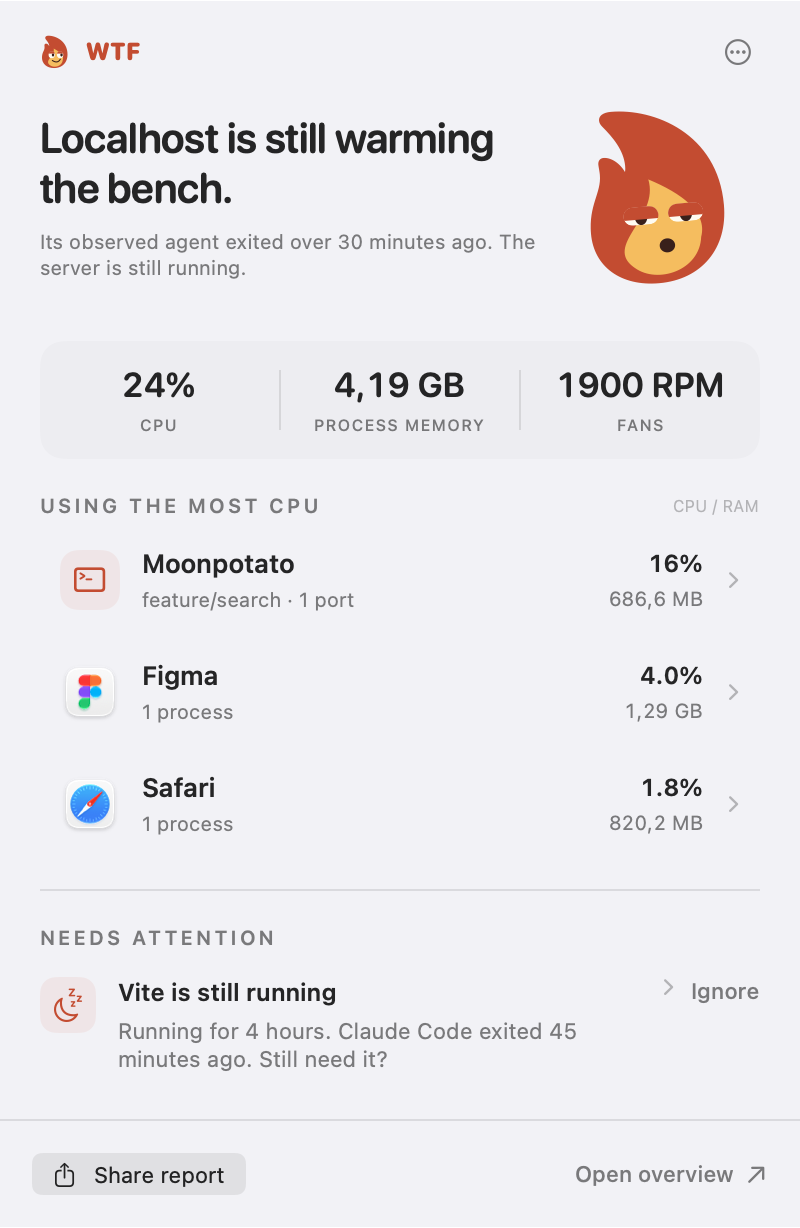
Leftover tasks can pile up, use CPU and heat up your Mac.
 Still doing overtime.
One small app in your menu bar.
And a closer look when you need it.
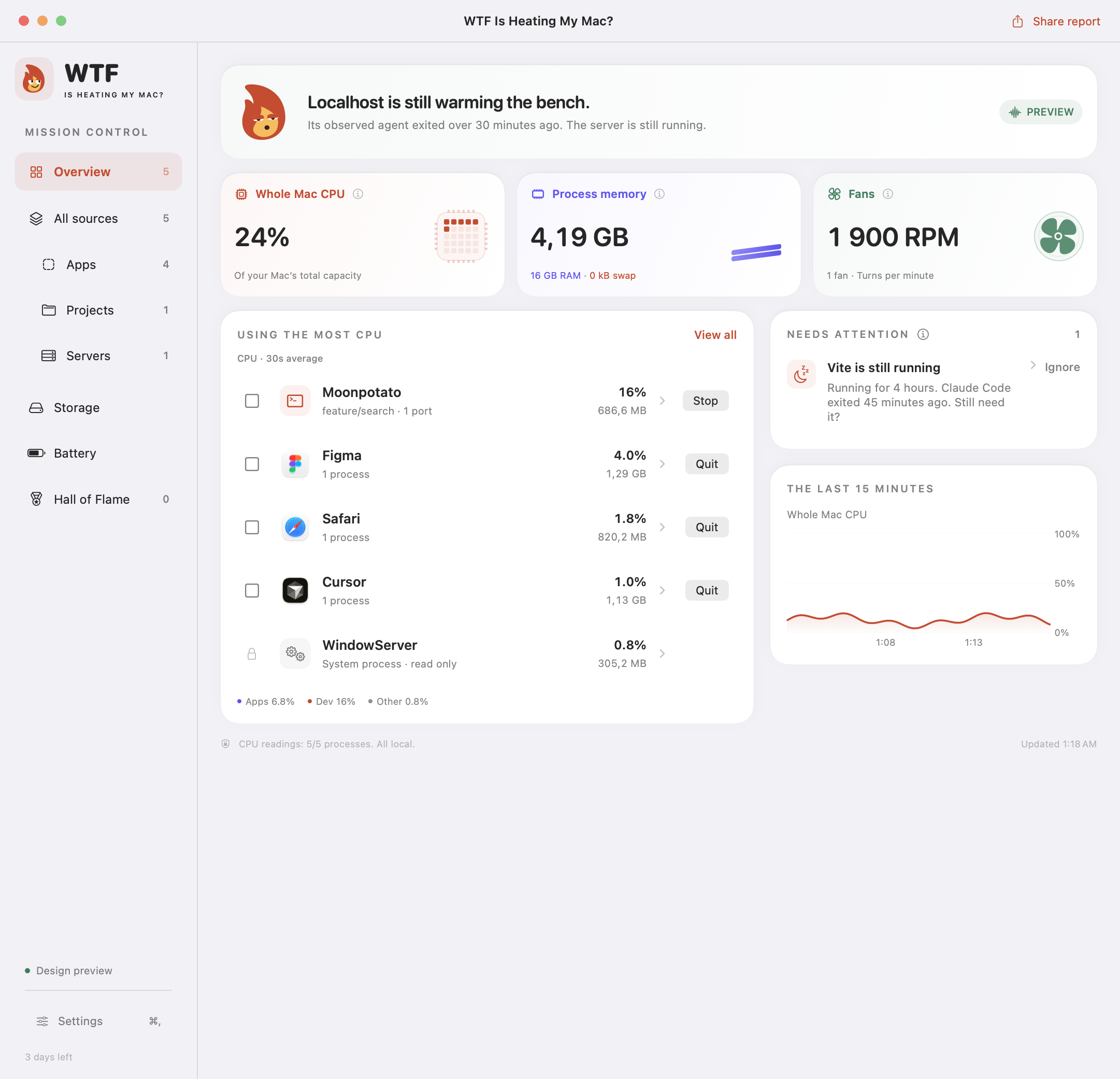
Try the sidebar, a row or Fans. The server’s still here. Of course it is.
Interactive demo · example dataThe flame reacts to your Mac: relaxed when it’s quiet, sweating when it’s warm, losing its shit when the fans really ramp up.
Tap a mood. Then poke the flame.
“No CPU drama.
Suspicious.”
Low CPU use. The side-eye is complimentary.
Every feature, free for 14 days. No card required.
Then $3.99 once for a lifetime license on 2 computers.
No subscription. No automatic charges.
v1.7.3 · 5.2 MB · macOS 26+ · Apple Silicon
Signed with Developer ID. Notarized by Apple.
Mac at work. PC at home. Same little flame, same license. $3.99 once, with two activations in total.
WTF Is Heating My Mac?
macOS 26+ · Apple Silicon
Download for Mac Try every feature free for 14 days. No card.WTF Is Heating My PC?
Windows 11 x64 · 24H2+ · Intel & AMD
Try the Windows preview Free preview trial. Unsigned installer. Paid keys are not used yet.Mac + PC. Two Macs. Two PCs. Pick any two when Windows launches. Existing licenses include Windows at no extra cost. No subscription.
Already bought it? Keep your key. You can free up a slot in Manage license. Settings and history stay on each computer.
Activity Monitor shows “node.” We help show what it belongs to: the project, the server and the AI tool we saw start it. That makes it easier to decide what you can stop.
Stopping unnecessary work can reduce CPU load. We show what’s using resources; we don’t promise a temperature drop or claim CPU is the only cause of heat. Fan RPM is available on supported Macs.
Nothing closes automatically. You review the exact processes before stopping a server. For ordinary apps, Quit lets the app show its own save dialog. Stop only work you’re finished with.
Local processes from Claude Code, Codex, Cursor, Gemini CLI and OpenCode. ChatGPT, Claude Desktop and Conductor are also recognised where local process evidence exists. Cloud tasks and browser chats aren’t visible. Uncertain connections are labelled; we don’t guess.
Live monitoring and cleanup pause after 14 days. Your saved history, badges and records stay on your Mac. Buy a lifetime license in the app to keep using every feature on two computers. You can move an activation to another computer from Manage license.
Yes. Every lifetime license, including an existing purchase, will include Windows when it launches. Use two activations in total: Mac + PC, two Macs or two PCs. A free Windows testing preview is available; stable release and paid activation are still being prepared. See the Windows page for availability.
Choose Check for Updates in the app, then Install Update. It downloads, checks the signature and restarts itself when you’re ready. Your settings stay. Versions before 1.2 need one last manual install to get the new updater.